Free team bag tags for every player on the roster
Pick your sport: soccer, basketball, baseball, football, softball, or volleyball. Each tag is shaped like the ball, carries a player’s name with their jersey number underneath, and hangs from a built-in loop. Cheer squad? There’s a megaphone too. Paste the roster, set your team colors, and the whole team downloads free in one go.
Choose a design
 Soccer Ball Bag TagA soccer-ball shape whose patches and seams stand up, plus a name and an optional number. Its loop fits a strap, a split ring, or a zip tie.A roster of 15, one free download
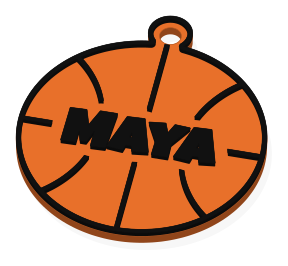 Basketball Bag TagA basketball-shaped tag with raised seam lines, a player’s name, and room for a jersey number on a second line. The loop takes a strap or a zip tie.A roster of 15, one free download
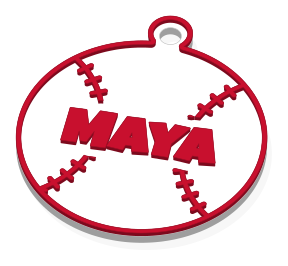 Baseball Bag TagA baseball with its stitching raised in the letters’ color, a player’s name across the middle, and an optional second line for a number. Includes a loop for hanging.A roster of 15, one free download
 Football Bag TagA football with raised laces and stripes, the player’s name across it, and a second line for a number. Hang it from a bag by the built-in loop.A roster of 15, one free download
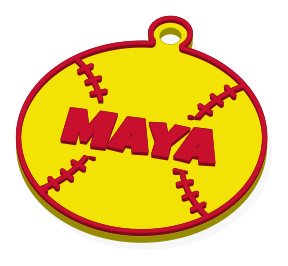 Softball Bag TagA softball shape with raised stitch lines, a name, and an optional jersey number underneath. A loop lets it ride on a bat bag or a backpack strap.A roster of 15, one free download
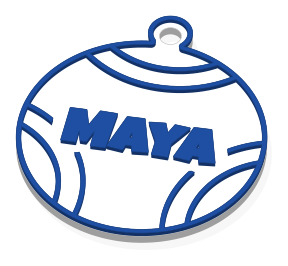 Volleyball Bag TagA volleyball-shaped tag whose panel seams print in the letters’ color, with a player’s name, an optional number line, and a loop for the bag strap.A roster of 15, one free download
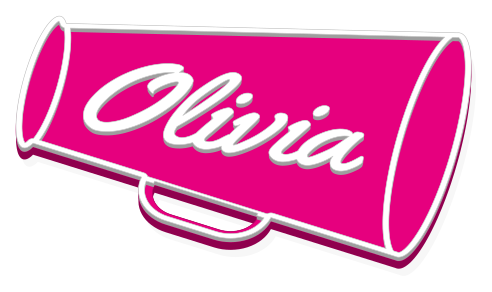 Cheer MegaphoneA megaphone shape with a cheerleader’s name and room for the squad logo beside it. Its outline, rims, and handle print in the letters’ color, with one swap.A roster of 15, one free download
Making them
- Choose the ball for your sport. Type the first player’s name, and put their number on the second line.
- In Make a set, give each teammate a line, written like Jaden / 23, so the number lands under the name.
- Pick the team’s two colors, add the team logo from Logo if you have one, and choose your printer.
- Sign in with Google and press Download free. The whole team is one download.
Questions people ask
- How many players fit in one download?
- Up to 31 tags in a set, so even a big squad is a single download, and it uses just one of your 10 for the day.
- How do I add jersey numbers?
- Put the number on the second line of the first name. For the rest of the roster, type each line as Jaden / 23: whatever comes after the slash goes underneath.
- Can I put our team or league logo on the tags?
- Upload it under Logo, ideally a bold, single-color version. Team and league logos usually belong to someone, so use them for your own team rather than for sale unless you have permission.
- What attaches the tag to a bag?
- A strap or zip tie goes through the loop built into each tag.
- Is there anything for cheerleaders?
- Yes. The Cheer Megaphone puts a name across a megaphone, with the edge, rims, and handle trimmed in the letter color. Make one for everyone on the squad.
- Do I need a printer that does two colors?
- No. One filament swap does it. Printers with a filament changer handle it alone; otherwise, pause at the height your download lists and switch spools by hand.